Orivus Workspace: one business workspace software for the whole company
Projects, clients, finance, operations, people, and risk, running on a single dataset instead of a dozen disconnected tools. It's the same business workspace software backbone we build bespoke versions of for clients across Zimbabwe and the system we use to run Orivus itself.
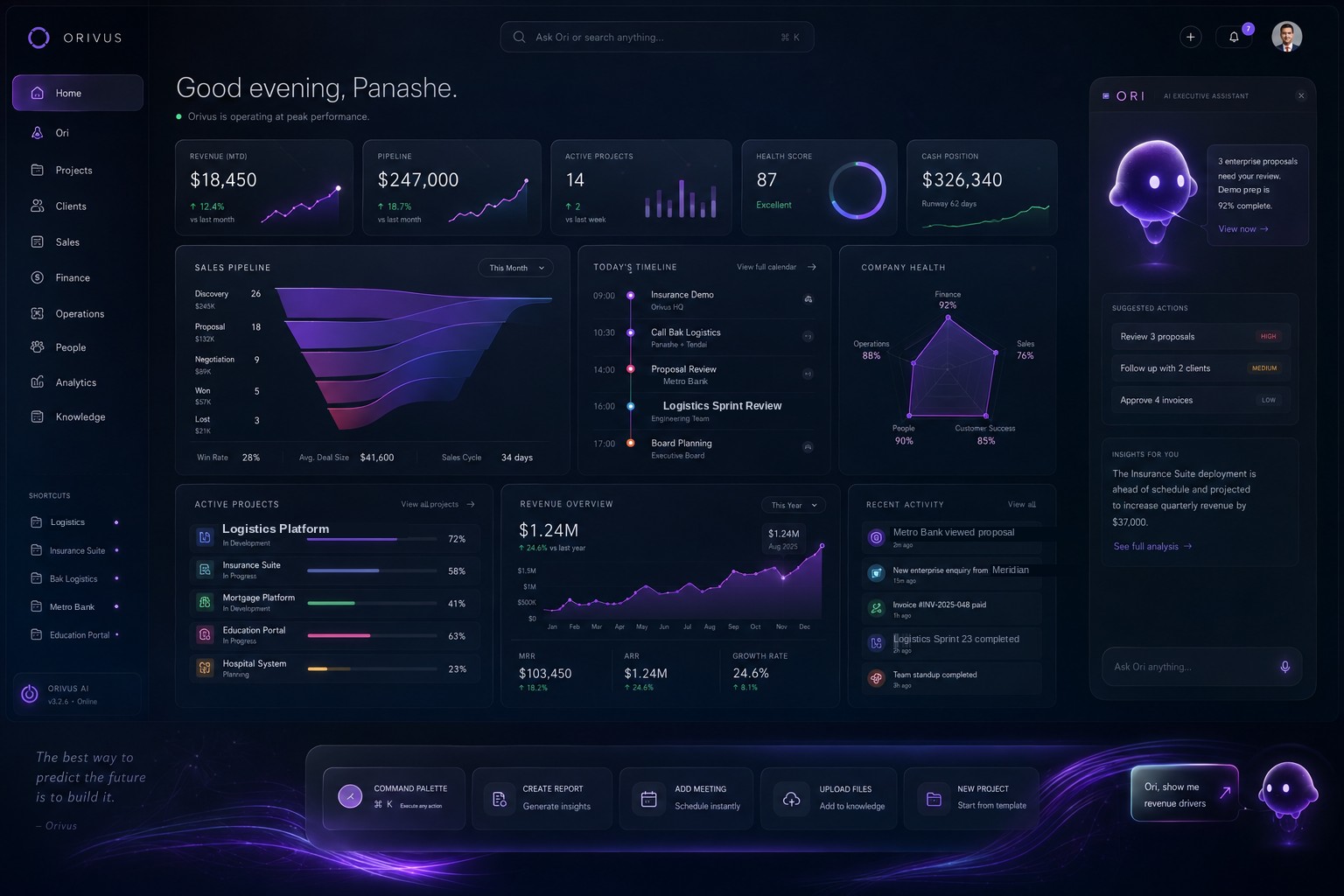
Everything the business needs to know, before the coffee's done
Revenue, pipeline, active projects, health score, and cash position update live across the top row. Below that, a sales pipeline funnel tracks every deal from discovery to close, today's timeline lays out the day meeting by meeting, and a company health radar covers finance, operations, sales, people, and customer success at a glance.
Active projects, a full revenue chart, and recent activity sit underneath, with Ori's assistant panel on the side, already surfacing suggested actions and insights, so nothing needs a separate check-in to find out.
Projects & Delivery
Phases, milestones, and task deadlines tracked per project, with a project chat thread attached to the work itself.
Clients & Sales Pipeline
Deals by stage, a prospective-client shortlist, and clients broken down by sector, so pipeline health is visible at a glance.
Markets & Company Intelligence
A live market watch across stocks, crypto, and commodities, plus a news feed with regulatory-watch flags, right next to the work it affects.
Finance & Investments
Capital allocation by budget, budgets versus actual spend, and investment holdings tracked alongside invoicing.
Operations & System Health
Company health, active alerts, and operational status across every product line, so issues surface before they escalate.
People & Teams
Invite people, assign team budgets, and see headcount and role by team, without leaving the Workspace for a separate HR tool.
Legal & Contracts
Contract templates, expiration tracking, and security-policy documentation kept searchable in one knowledge base.
Product & Feature Tracker
Every screen and feature across every product line documented and tracked, so "what did we ship" has a real answer.
Ori, Built In
Ask Ori anything, right from the Workspace. It reads the same market data, news, and project state you do, and answers against it directly.
Stocks, crypto, and commodities, next to the work
A live market watch tracks equities, crypto, and commodities like gold, oil, and wheat side by side, while a news feed flags high-market-movement stories and regulatory watch items the moment they break, not in a Monday summary.
Every deal, staged and visible
Deals by stage, a prospective-client shortlist, and clients broken down by sector give leadership one honest read on the pipeline, with Ori's assistant panel surfacing what needs a decision, not just what happened.
Contracts, security policy, and how the company is actually built
Contract templates and expirations, security policy documentation, and a living map of the corporate and subsidiary architecture live in the same knowledge base as everything else, searchable instead of buried in a shared drive.
What shipped, where, and what's next
Every screen and feature across every solution Orivus runs, mortgage, insurance, logistics, manufacturing, and more, is documented and tracked from one shared roadmap.
Open the Ori tab and the day is already summarized
Ori isn't limited to the panel that follows you around. It has its own tab in the Workspace, a full briefing built the moment you open it, not a blank box waiting for you to type the first word.
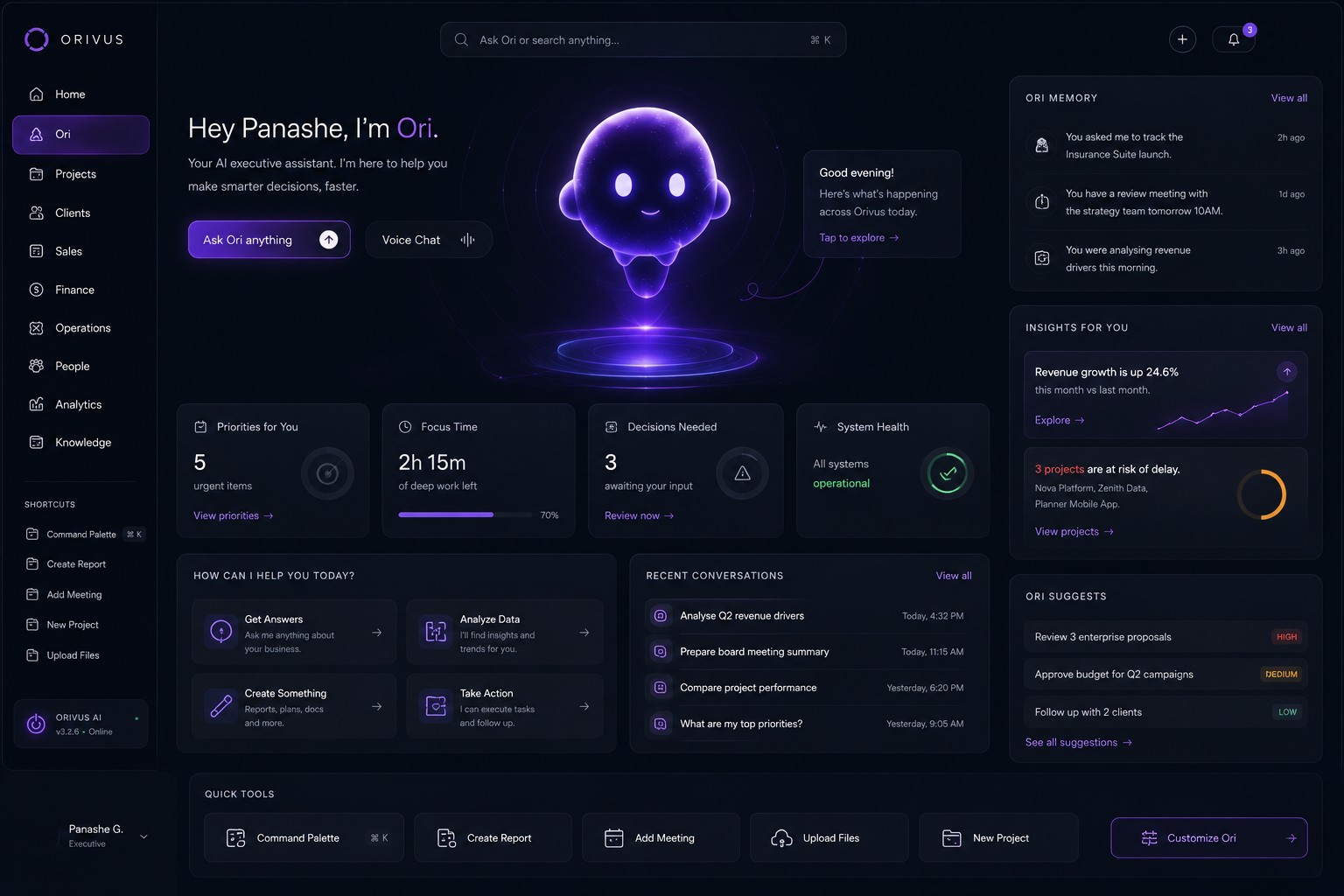
A briefing, not a blank chat box
Five urgent priorities, focus time left in the day, decisions waiting on a call, and a system-health check, all laid out before you've typed a single word. Type to Ori or use Voice Chat, whichever the moment calls for.
How Can I Help You Today?
Four starting points instead of a blank prompt: Get Answers, Analyze Data, Create Something, or Take Action, each one ready to run against real Workspace data.
Recent Conversations & Memory
Past questions like "Analyse Q2 revenue drivers" or "What are my top priorities?" stay one click away, and Ori Memory keeps track of what you've asked it to watch, so context never resets.
Insights & Suggestions
Revenue trends and at-risk projects show up as insights; approving an invoice or following up with a client shows up as a ranked suggestion, high, medium, or low.